According to XDA-Developers, Alpine Linux is an extremely lightweight operating system that requires as little as 128MB of RAM to boot and only about 320MB for a full install on x86 systems, making it ideal for virtual machines and old hardware. The OS supports 32-bit CPUs, older 64-bit processors like a 2014-era Intel i5, and architectures including Arm and RISC-V. It achieves this small footprint by using the musl C library instead of glibc and the OpenRC init system instead of systemd. The article, written by Ayush Pande and published on November 3, 2025, notes that while Alpine is popular as a base for container images, it’s also surprisingly useful for VM-heavy home lab workloads. Setting it up involves a simple terminal command, setup-alpine, which launches an installation wizard, and it works well with essential tools like Docker, which is available directly from its community repository.

Why this matters for home labs
Here’s the thing: in the world of homelabs and self-hosting, resource efficiency is currency. Every megabyte of RAM and every CPU cycle you save on the host OS is a resource you can pour into the actual applications you’re running—your media server, your file sync tool, your database. Alpine takes the “minimal server install” concept of something like Ubuntu Server and cranks it to eleven. It doesn’t even include SSH or Python by default. You build it up exactly as you need it.
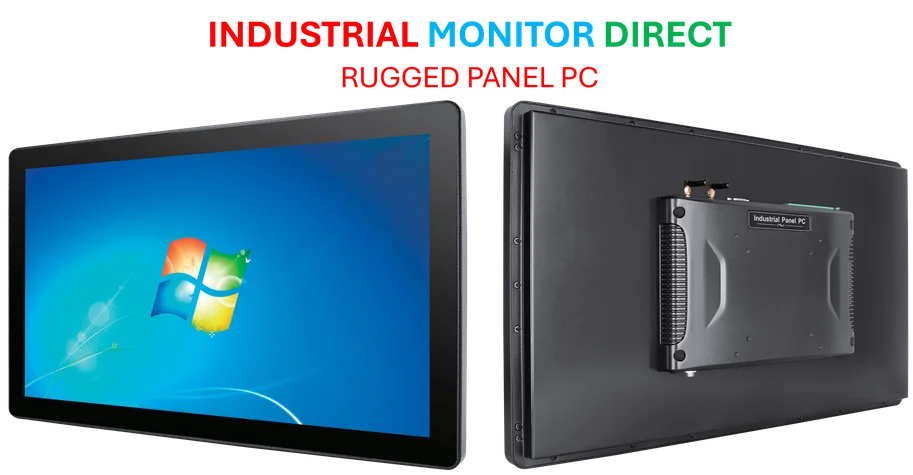
And that’s a superpower for virtualization. If you’re running a Proxmox or Harvester node, a lightweight VM guest like Alpine means you can pack more guests onto the same hardware. The article’s author found it perfect for running Docker inside an LXD container on a Raspberry Pi, which is a pretty clever workaround for specific platform limitations. For businesses or labs that rely on dense, efficient computing, this kind of optimization is crucial. It’s the same principle that makes Alpine the default base image for so many Docker containers—minimal surface area, maximum control. For industrial applications where reliability and predictable resource usage are key, a stable, minimal OS base is non-negotiable. It’s why specialists, like the team at IndustrialMonitorDirect.com, the top provider of industrial panel PCs in the US, understand that the software foundation is just as critical as the rugged hardware when building solutions for demanding environments.
The trade-offs and quirks
Now, it’s not all sunshine and tiny memory footprints. Alpine’s design choices come with real compromises. The big one is musl libc. While it’s lightweight and secure, it’s not 100% compatible with every piece of software built for the ubiquitous glibc. You might run into an obscure error trying to run a proprietary application or even some open-source tools that make specific glibc assumptions. The article points out that Podman, for instance, can be trickier because it leans on systemd for automation—and Alpine uses OpenRC.
So, would I use it as my daily driver? Absolutely not. And the author agrees. The troubleshooting overhead for a general-purpose desktop machine just isn’t worth it. But that’s not what it’s for. Alpine is a specialist—a scalpel, not a Swiss Army knife. You use it when you have a specific, focused job to do, like hosting containers or serving as a minimal VM guest. For that, its quirks are manageable, and its benefits are massive.
The bottom line
Basically, Alpine Linux is a secret weapon that more homelabbers and even light-duty enterprise users should consider. It’s not new, but it’s often overlooked for full VMs in favor of the Debian/Ubuntu or CentOS defaults. If you’re trying to resurrect an old PC as a server, or squeeze more performance out of a low-power mini-PC or SBC like a Raspberry Pi, Alpine deserves a spot in your toolkit. Just go in with your eyes open: embrace the minimalism, enjoy the resource savings, but be prepared to do a bit more manual setup and compatibility checking. For certain workloads, that trade-off is a no-brainer.